
Stock Predictor guide
Popup Menus
Right-click the chart or a company for quick commands.
Chart menu
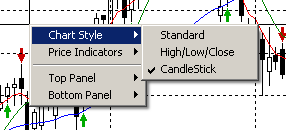
Switch between chart styles, add or remove price indicators such as moving averages, Bollinger Bands and envelopes, or change the technical indicator in the lower chart panel.
Selecting a price indicator toggles it: if it is already on the chart it is removed, otherwise it is added.
Companies menu
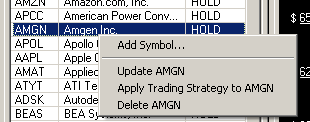
Add new symbols to the group, update the historical data of the selected stock, run the selected strategy for it, or remove it from the group.