
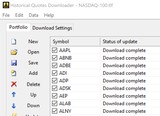
Downloads daily, weekly, monthly and intraday historical quotes for US and international stocks and indices, in ASCII format for MetaStock, Excel and other tools.
Stock Predictor - Stock Backtesting and Charting Software
Stock Predictor is an advanced tool for technical traders to analyze stock charts and backtest investment strategies. It shows multiple technical indicators for a single stock on one chart, manages lists of securities and backtests trading strategies – with dozens of built-in indicators and over five hundred combined strategies.
Download free trial Buy now – $295.00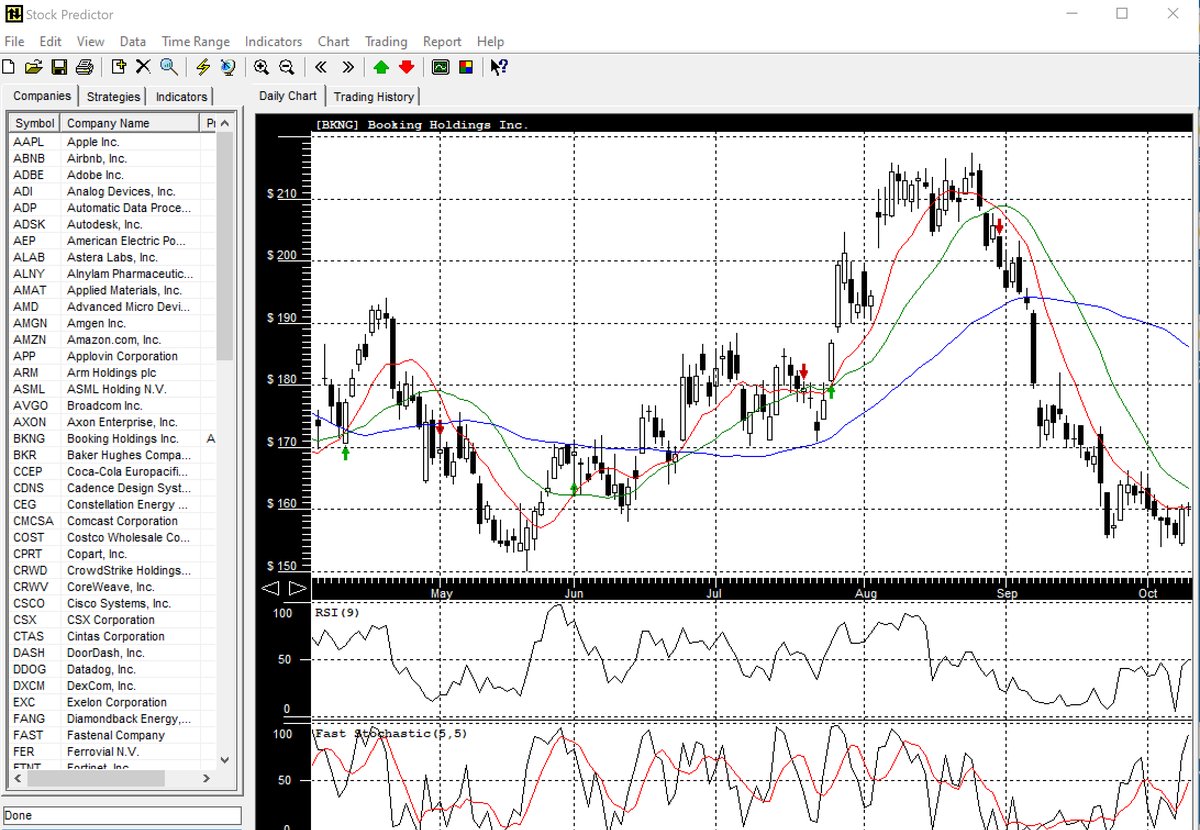
Features
- Dozens of built-in technical indicators on a single chart
- Over 500 combined stock trading strategies
- Backtest strategies on historical data and view buy/sell signals on the chart
- Manual and automated strategy performance analysis
- Create and manage lists of securities
- Downloads historical quotes for US and international exchanges
What is a trading strategy?
We define a trading strategy as a set of objective rules that define entry (buy) and exit (sell) points – patterns in the behavior of the stock price, volume or, more commonly, technical indicators. The strength of these rules is that they are not subjective like intuition or emotion. Some were developed decades ago and are still used by traders today.
Stock Predictor lets you test these strategies on historical data, adjust and fine-tune them for a particular group of stocks, and automate the rules so that your buy and sell decisions follow an objective methodology.
Trading strategies
Stock Predictor has 23 built-in trading strategies – moving averages, RSI, stochastic, Williams %R, Directional Movement, Bollinger Bands, breakouts and filters – and lets you combine any two of them. See sample strategy charts or browse all strategies with their buy and sell rules.
- Moving Averages Crossing, Relative Strength Index, Slow Stochastic Oscillator, Williams %R and Directional Movement examples
- Automated and manual strategy performance analysis
How to backtest a stock trading strategy on Windows
- Create a symbol list with the stocks you want to test.
- Get the price history: download historical quotes for US and international exchanges, or load your own end-of-day quotes from text or CSV files with the Data Import wizard.
- Set technical indicators on the chart, such as moving averages, RSI or stochastic.
- Run a trading strategy: pick one of the 23 built-in strategies or combine two of them. The buy and sell signals appear on the chart.
- Check the results with manual or automated strategy performance analysis, then adjust the rules and test again.
When you need stock backtesting software
- You want to test a trading idea before you risk money — apply its rules to historical prices and see where it would have bought and sold.
- You trade with technical indicators and want objective entry and exit rules instead of intuition or emotion.
- One strategy does not fit every stock: fine-tune the rules for a particular group of stocks.
- You want to compare strategies — single or combined — with manual and automated performance analysis.
- You already have your own data: import end-of-day quotes from text or CSV files.
Need data files or quick charts? Historical Quotes Downloader saves daily and intraday quotes to text files, and CharTTool opens stock charts with technical indicators and drawing tools.
Learn Stock Predictor
- Getting started manual
- Software user interface
- Create a symbol list and download historical data
- Set technical indicators and run trading strategies
- Interpret trading strategy results
- Manual and automated strategy performance analysis
- About combined strategies
- More screenshots · Supported exchanges · Why trade with Stock Predictor
Import your own data. Load end-of-day quotes from text or CSV files with the built-in Data Import wizard – how to import data.
Frequently asked questions
What is stock backtesting software?
Backtesting software applies the buy and sell rules of a trading strategy to historical prices, so you can see how the strategy would have worked in the past. Stock Predictor shows the buy and sell signals on the chart and analyzes the strategy's performance.
Which trading strategies does Stock Predictor include?
23 built-in strategies based on moving averages, RSI, stochastic, Williams %R, Directional Movement, Bollinger Bands, breakouts and filters. Any two of them can be combined, which gives over 500 combined strategies.
Can I backtest a strategy on my own data?
Yes. The Data Import wizard loads end-of-day quotes from text or CSV files. Stock Predictor can also download historical quotes for US and international exchanges.
Can I change the rules of a strategy?
Yes. You can adjust and fine-tune a strategy for a particular group of stocks and test it again on historical data.
Does Stock Predictor run on Windows 11?
Yes. It runs on Windows 7, 8, 8.1, 10 and 11, 32-bit and 64-bit.
Is there a free trial?
Yes. You can download a free evaluation version and test it before you buy. A license is $295.00.
Ordering
After a completed secure online order, an unlocking key file is emailed to you within two business days. Questions about ordering or registration: order@ashkon.com. Prices for all products are on the Order page.
Related software
Stock Quotes Pro
$49.95Downloads end-of-day historical prices for stocks, mutual funds and indices in a customizable ASCII format compatible with MetaStock, TradeStation and SuperCharts.

Stock Sector Monitor
$49.95Watch 150 stock industries and 5000+ stocks: quotes, price changes, volume, reports, news, charts and portfolios.