

A thin desktop bar at the top or bottom of your screen that continuously downloads and scrolls stock quotes for the securities you choose.
Stock News Ticker: Free Scrolling Stock News for Your Desktop
Stock News Ticker is a free Windows program that keeps the latest stock market news in view while you work. It docks a slim toolbar to the top of the screen and scrolls fresh headlines for the stocks and ETFs you follow, like the ticker tape on a financial TV channel. Other windows open below the bar, so it never covers your work. Click a headline to read the story, or click a symbol to open its quote page.
Free download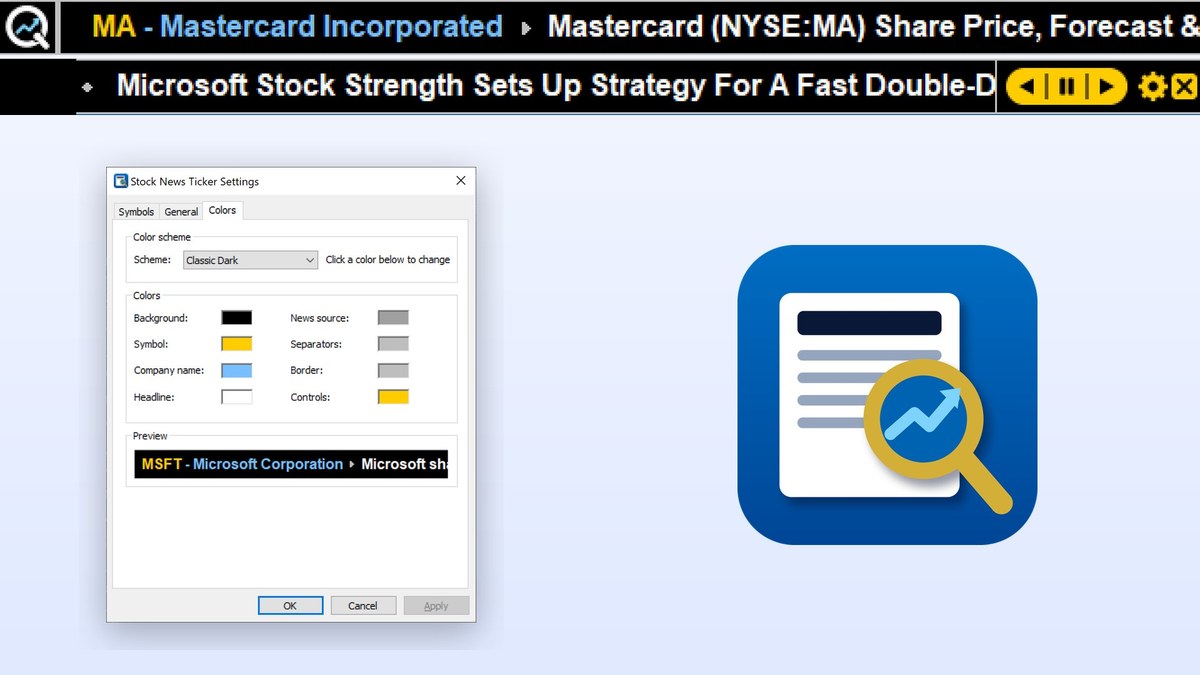
Features
Stock news at a glance
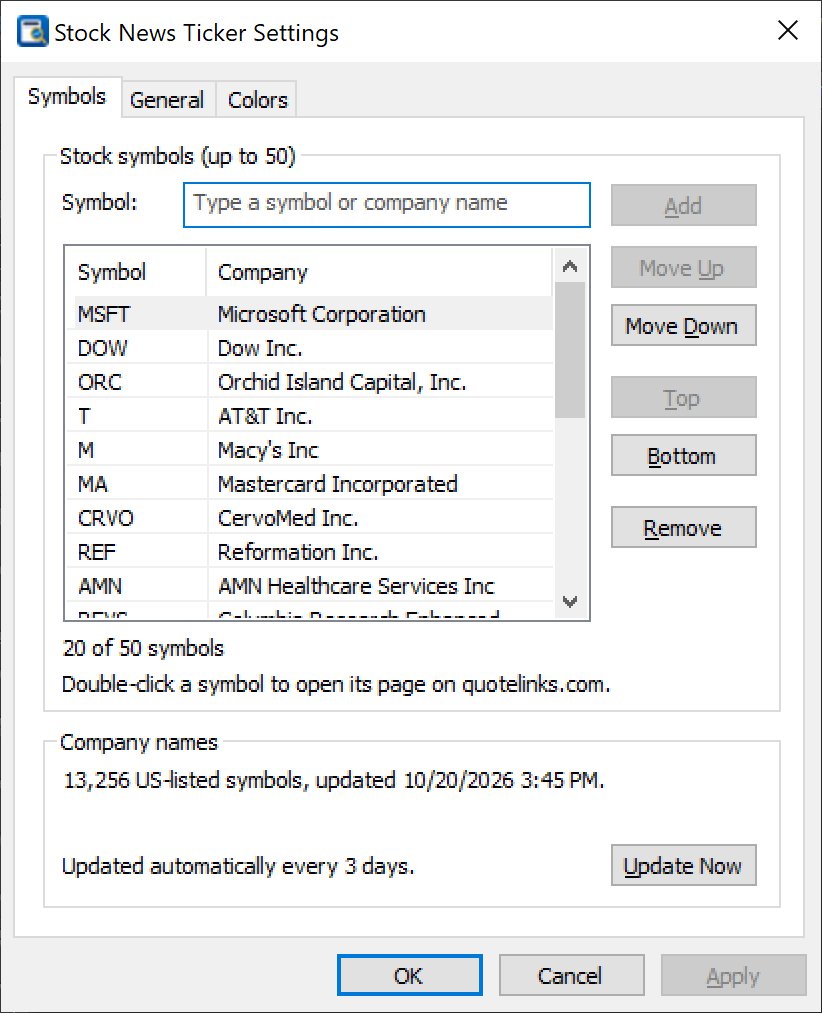
- Follow up to 50 US stocks and ETFs. For each symbol the bar shows the ticker, the company name and its newest headlines.
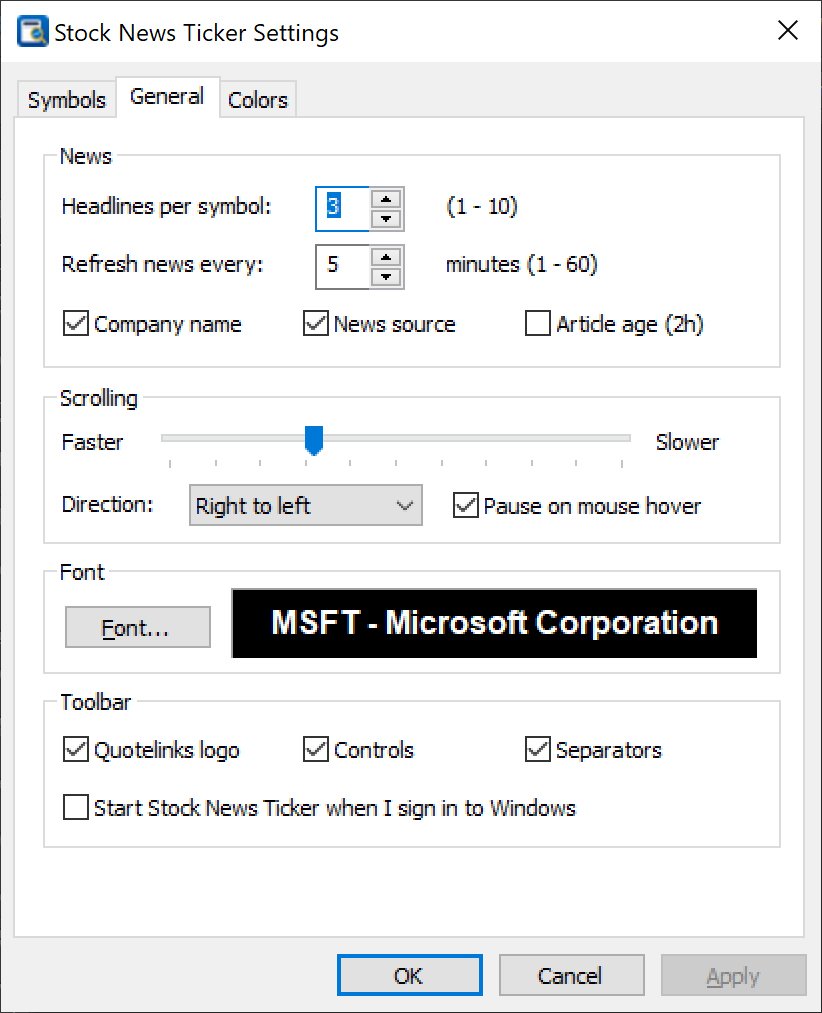
- 1 to 10 headlines per symbol, sorted newest first, with duplicate stories removed. Stories that mention the company come first.
- News is refreshed automatically every 1 to 60 minutes (every 5 minutes by default), or instantly from the tray icon or the right-click menu.
- Optionally show the news source and the age of every article (for example “2h”).
- Headlines come from free internet news sources – no account, no subscription and no API key needed.
One click to the full story
- Click a headline to open the full article in your web browser.
- Click a stock symbol to open its quotelinks.com page with quotes, charts, financials and more.
- Hover over an item to underline it and pause the scrolling; drag the line with the mouse to scroll it by hand.
- Right-click for a quick menu: open the story or quote page, pause or change direction, update news, settings and exit.
Easy symbol entry
- Autocomplete: type a ticker or a company name and a list of matching companies drops down at once; press Enter to add the selected one.
- The built-in directory covers more than 13,000 US-listed symbols (NASDAQ, NYSE and other US exchanges) and is updated automatically every 3 days.
- Paste a whole list such as AAPL, NVDA, MSFT; class shares like BRK-B are recognized.
- Reorder symbols with Move Up, Move Down, Top and Bottom, or remove them with one click.
Make it your own
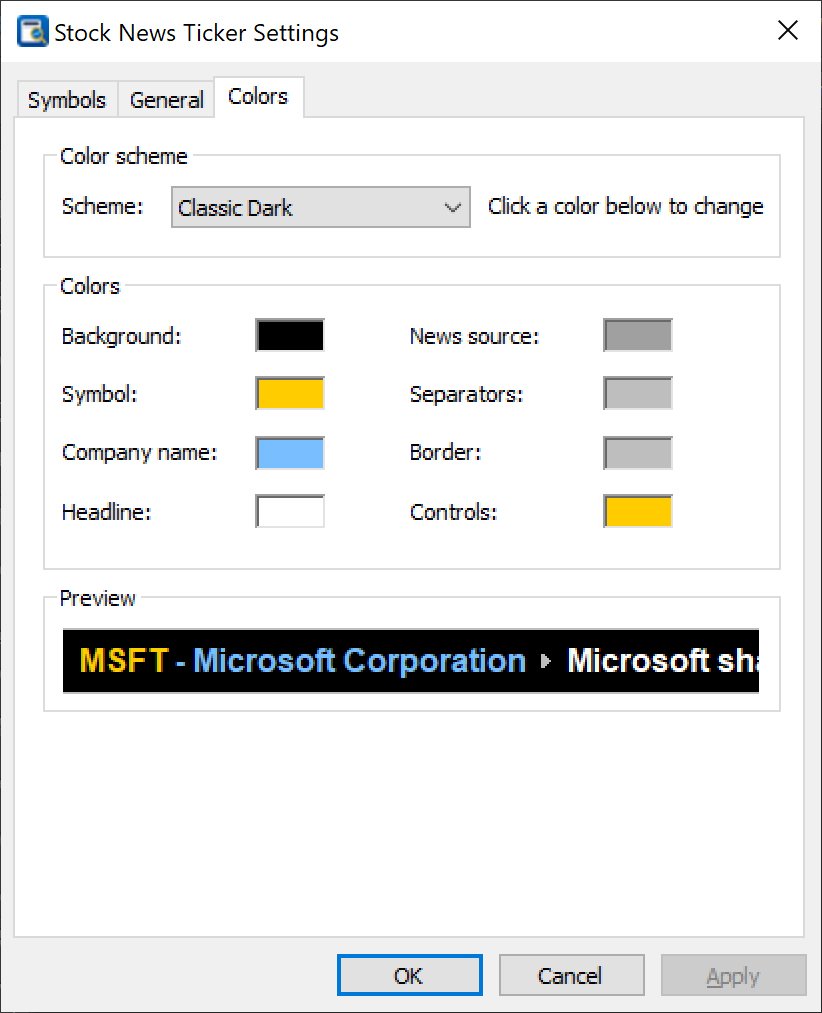
- 8 color schemes: Quotelinks Blue, Classic Dark, Light, Wall Street Green, Amber Terminal, Midnight, Graphite and High Contrast – or set 8 colors of your own.
- Any font, adjustable scrolling speed and direction (right to left or left to right).
- Show or hide the company name, the news source, the article age, the logo, the player controls and the separators for a minimal look.
- Player-style controls on the bar: scroll back, pause, scroll forward (fast while held), settings and exit.
Small and fast
- Native Windows program: no .NET Framework or other runtimes, very little memory and CPU.
- Smooth, flicker-free scrolling synchronized with the display.
- Start with Windows option, and a system tray icon that shows the number of headlines and the time of the last update, and hides or shows the bar.
- Freeware: no ads, no registration, no account required.
Stock News Ticker sits quietly at the top of the screen like the Windows taskbar sits at the bottom: maximized windows simply end below it. Add the companies in your portfolio or on your watch list, and the moment a story breaks about one of them it scrolls past – without opening a browser or a trading platform.
Screenshots


Related software

A slim bar at the top of your screen that scrolls the latest news headlines for your topics and keywords. Click a headline to read the article.
CharTTool
$39.95Stock charting software: dozens of charts at once, 32 technical indicators, 26 drawing tools including Fibonacci and pitchforks, symbol comparison and printing, with free internet quotes.