
Downloads daily, weekly, monthly and intraday historical quotes for US and international stocks and indices, in ASCII format for MetaStock, Excel and other tools.
Stock Quotes Pro - Download Historical Stock Prices to Excel and CSV
Stock Quotes Pro instantly downloads end-of-day (EOD) historical prices of stocks, mutual funds and indices traded in US, Canadian and international markets. Output is a customizable ASCII format compatible with most spreadsheet and charting packages, including MetaStock, SuperCharts, TradeStation and Microsoft Excel.
Download free trial Buy now – $49.95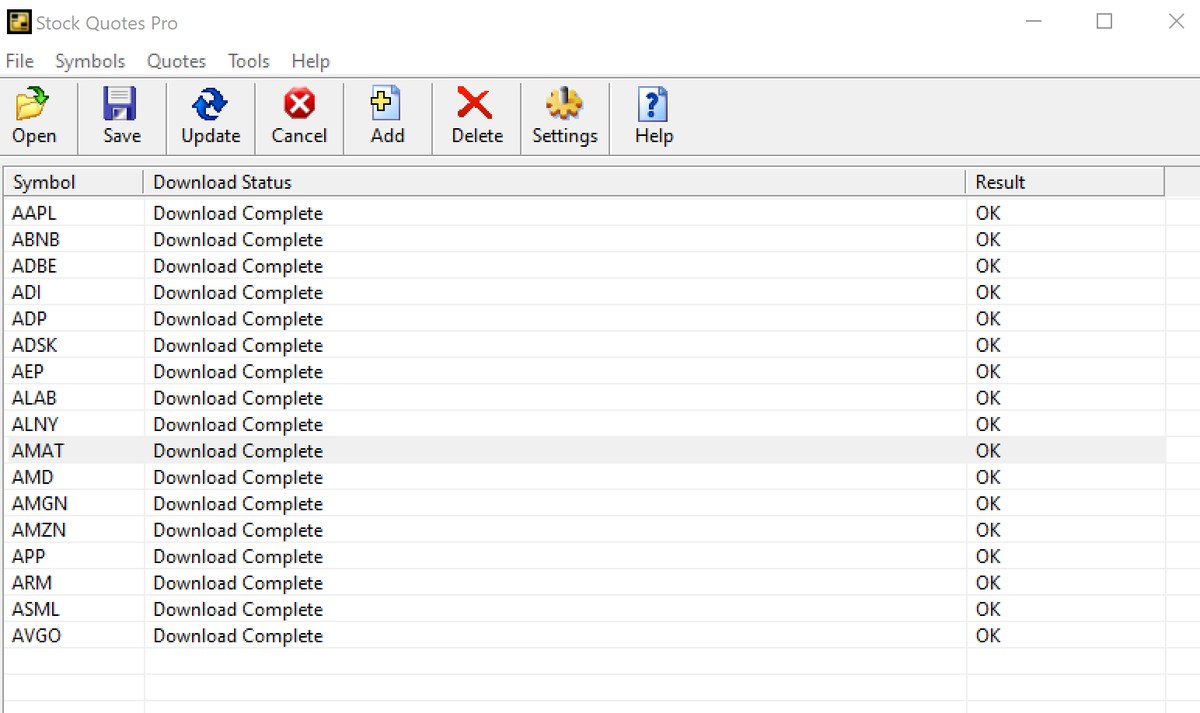
Features
- Maintains stock symbol lists in portfolio files
- Downloads data for up to 1000 symbols at once
- Asynchronous data transfer
- Supports international exchanges
- Cryptocurrency quotes
- Custom date and time formatting; customizable output
- Quick preview of downloaded data in Notepad
How to download historical stock prices to Excel
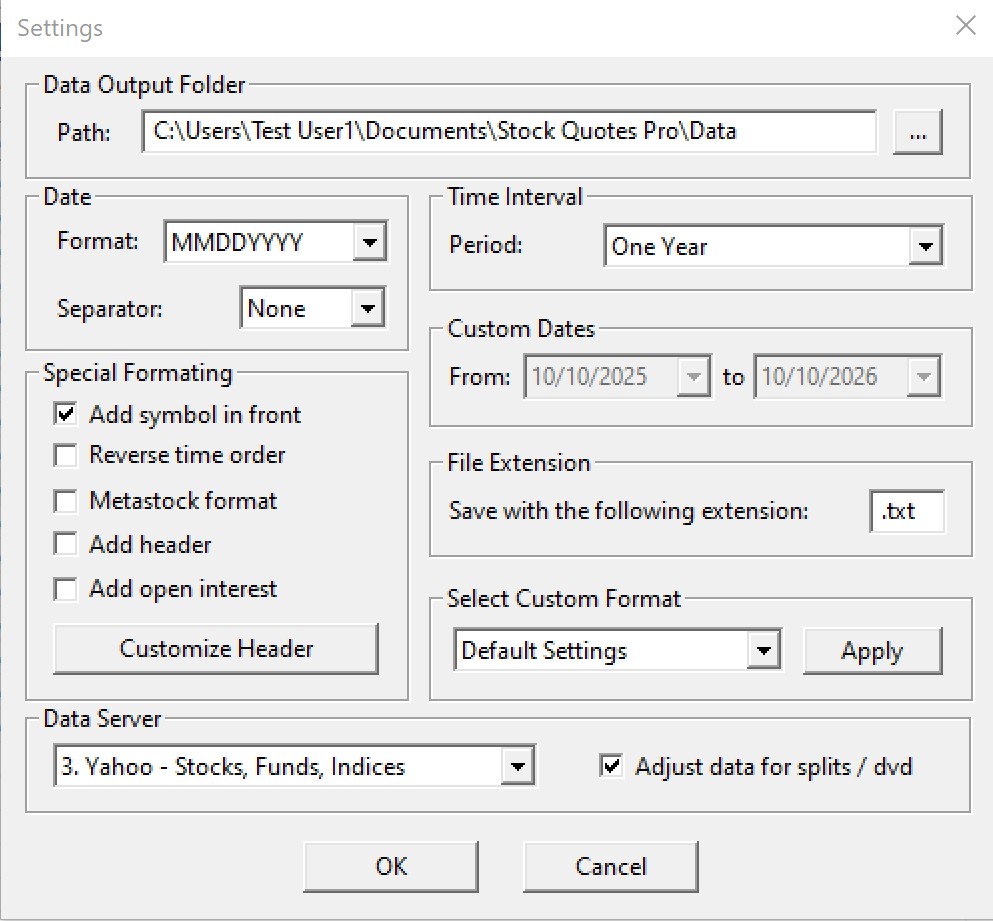
- Choose the dates: open Tools > Settings, select a Data Server and, under Time Interval, a period from 3 Months to 10 Years – or Custom Range with your own From and To dates.
- Choose the format: set the date format and separator, and the header and symbol options. Type
.csvas the file extension so Excel opens the files directly, or pick a ready-made format for your charting program. Click OK. - Add symbols: choose Symbols > Add, or Symbols > Find to look up a ticker by company name. File > Open loads a saved symbol list.
- Download: choose Quotes > Update All. Each symbol is saved to its own file. Quotes > Preview opens the data in Notepad, and Quotes > Open Data Folder shows all files.
When you need historical stock prices
- Price history for a spreadsheet: daily open, high, low, close and volume in comma-separated files, one per symbol.
- A specific date range, for example one year in the past, with custom From and To dates.
- Data for charting software: ready-made formats for MetaStock, TradeStation, SuperCharts, Advanced Get, Elliott Wave Analyzer and Sierra Chart.
- Canadian and other international stocks with an exchange suffix, such as
BMO.TOorBARC.L. - Mutual funds, indices and cryptocurrencies as well as stocks and ETFs, for example
VFIAXorBTC-USD.
Need intraday data? Historical Quotes Downloader also downloads 1-minute and 5-minute bars. To see the prices as charts with indicators, try CharTTool.
Documentation
Read the full Stock Quotes Pro Help: step-by-step user guide, data servers, symbol formats, output format and troubleshooting. Stock Quotes Pro output works with MetaStock and Advanced Get.
Frequently asked questions
How do I download historical stock prices into Excel?
In Tools > Settings choose a data server and a period, and set the file extension to .csv. Add your symbols and choose Quotes > Update All. Each symbol is saved to its own comma-separated file that Excel opens directly.
Can I choose my own date range?
Yes. Pick 3 Months, 6 Months, One Year, 2, 3, 5 or 10 Years, or select Custom Range and set the From and To dates. How far back the data goes depends on the data server.
Does Stock Quotes Pro download intraday data?
No. It downloads end-of-day (daily) prices. For 1-minute and 5-minute bars use Historical Quotes Downloader.
Can I download Canadian and other international stock prices?
Yes. Add the exchange suffix to the symbol, for example BMO.TO for the Toronto Stock Exchange or BARC.L for London. International symbols work with one of the six data servers, which you select in Settings.
Which programs can read the downloaded files?
Microsoft Excel and charting software that imports ASCII data, including MetaStock, TradeStation, SuperCharts, Advanced Get, Elliott Wave Analyzer and Sierra Chart.
Does Stock Quotes Pro run on Windows 11?
Yes. It runs on Windows 7, 8, 8.1, 10 and 11, 32-bit and 64-bit.
Is there a free trial?
Yes. You can download a free 10-day evaluation version and try it before you buy. A license is $49.95.
Ordering
After a completed secure online order, an unlocking key file is emailed to you within two business days. Questions about ordering or registration: order@ashkon.com. Prices for all products are on the Order page.
Related software

Stock Predictor
$295.00Stock charting and technical analysis software. Backtest trading strategies, view buy and sell signals on charts, with dozens of indicators and 600+ combined strategies.

Stock Sector Monitor
$49.95Watch 150 stock industries and 5000+ stocks: quotes, price changes, volume, reports, news, charts and portfolios.