
Stock Predictor guide
Combined Trading Strategies
What if you want to buy on one technical indicator and sell on another? The Combined Strategy uses one strategy for Buy signals and a different one for Sell signals.
Set up a combined strategy
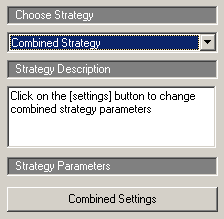
- Click the Strategies tab and select Combined Strategy in the list.
- Click Combined Settings.
- Choose the strategy that generates Buy signals and the strategy that generates Sell signals, and edit their parameters.
- Run the strategy as usual – see running a trading strategy.
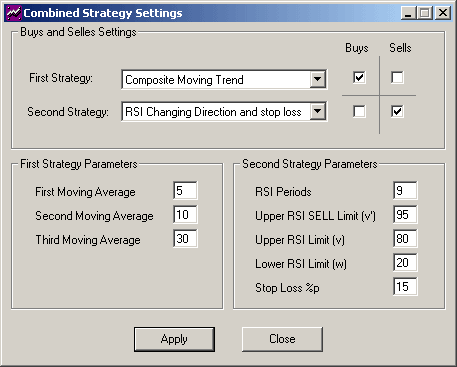
Every built-in strategy can be paired with every other one, which gives over 500 combined strategies.