CharTTool - Technical Analysis Charting Software for Windows
CharTTool opens fast, clean charts for stocks, ETFs, mutual funds, indices, futures and currencies – dozens at a time. Pick from six chart styles and intervals from 1 minute to 1 month, add any of 32 technical indicators, mark up the chart with 26 drawing tools including Fibonacci, pitchforks and Elliott waves, compare symbols in percent, and print or copy the result.
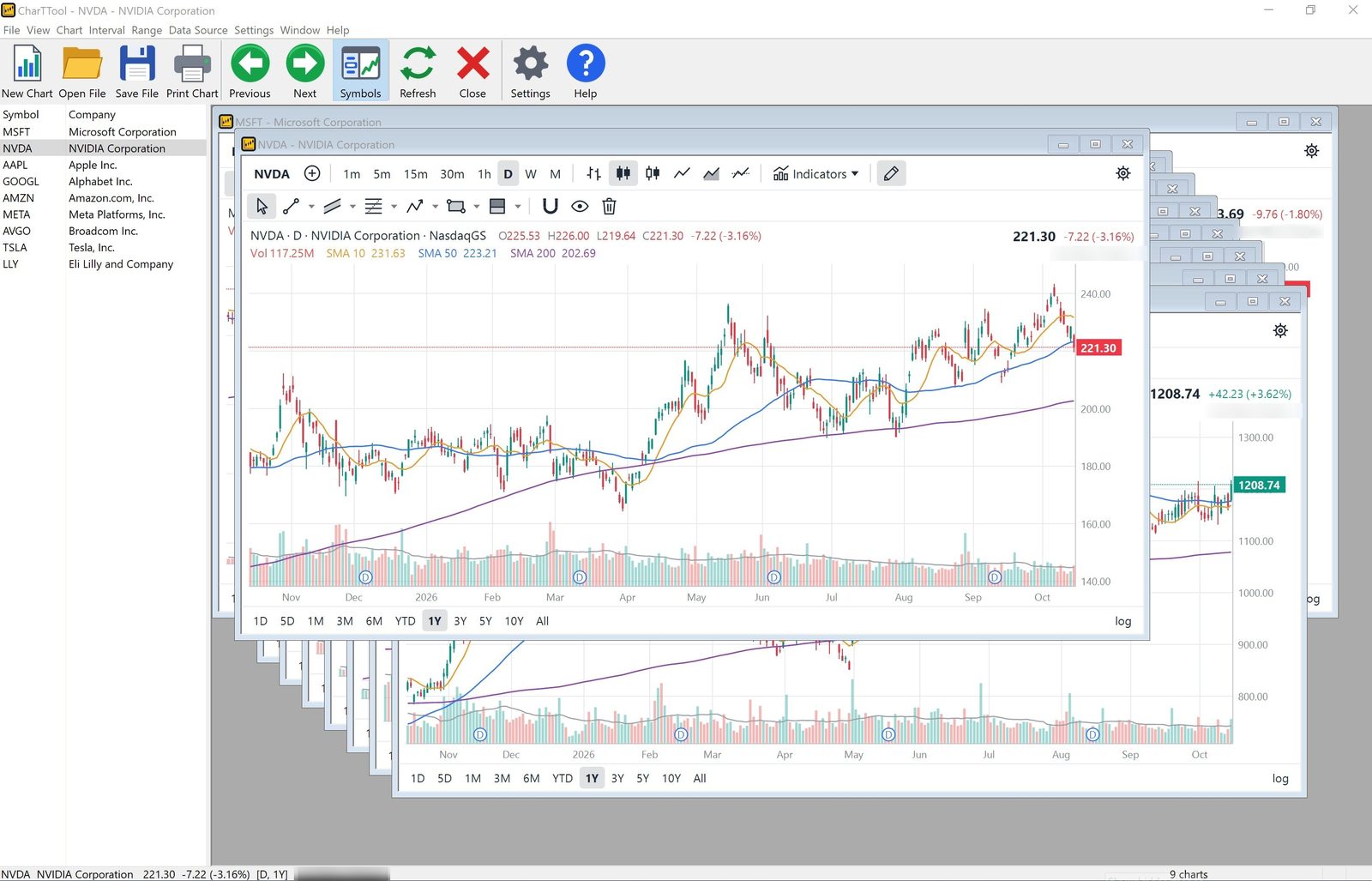
Open as many charts as you need: type several symbols at once (MSFT, NVDA AAPL ^GSPC) or open a ticker list and every symbol in it gets its own chart window.
Flip through the charts with PgDn/Space and PgUp, or open them maximized for a one-chart-at-a-time slideshow.
The Symbols list docked on the left shows every open chart with its company name; arrow keys walk through the charts and Del closes the one you no longer want, so weeding out a long list takes seconds.
Charts appear instantly when you switch between them: each window is drawn natively, and downloaded quotes are kept in a local cache.
On exit CharTTool remembers every open chart with its settings and window position, and brings the same layout back next time.
Chart styles, intervals and ranges
Six chart styles: Bars (OHLC), Candles, Hollow Candles, Line, Area and Baseline.
Intervals of 1, 5, 15 and 30 minutes, 1 hour, 1 day, 1 week and 1 month, one click away on the chart's own panel.
Ranges from 1 day to 10 years and All history; each range picks a matching interval automatically.
Logarithmic price scale, dividend (D) and split (S) markers, a crosshair with open/high/low/close and indicator values, and a last-price tag on the axis.
Mouse-wheel zoom, drag to pan, double-click to reset.
32 technical indicators
Overlays on the price chart: Volume with its moving average, three SMAs, two EMAs, WMA, Hull MA, VWAP, Bollinger Bands, Keltner Channels, Donchian Channels, Ichimoku Cloud, Parabolic SAR, SuperTrend and Pivot Points (Classic, Fibonacci or Camarilla).
Indicator panes below the chart: RSI, MACD, Stochastic Fast, Stochastic Slow, Stochastic RSI, Williams %R, CCI, Money Flow Index, Rate of Change, Momentum, ADX / DMI, Aroon, ATR, On Balance Volume, Chaikin Money Flow and the Accumulation/Distribution line.
Every period, multiplier and color can be changed, and the formulas follow the standard definitions traders expect, so the values match other charting packages.
The indicators are grouped in a compact Indicators menu on every chart; the legend shows each value at the crosshair.
26 drawing tools
Lines: trend line, ray, extended line, horizontal line and ray with a price tag, vertical line.
Channels and pitchforks: parallel channel, linear regression channel, Andrews' Pitchfork, Schiff and Modified Schiff Pitchfork.
Fibonacci: retracement, trend-based extension, time zones, fan and arcs.
Patterns: path, Elliott impulse wave (1-5), corrective wave (ABC) and the harmonic XABCD pattern with its ratios.
Shapes and notes: rectangle, text note, buy and sell arrows. Positions: long and short position with target, stop, percent moves and reward/risk ratio.
Magnet snap to open/high/low/close, 50-step undo, and drawings that stay anchored to time and price when you zoom or change the interval. Drawings belong to the symbol and come back next session.
Compare, print and copy
Compare a stock with up to six other stocks or indices on one chart, in percent gain or loss.
Seven color schemes: Light, Parchment, Sky, Dark, Midnight, Terminal and Classic, or your own colors.
Vector-quality printing with header and footer, print preview, and Print All Charts with 1, 2, 4 or 6 charts per page. Ctrl+C copies the chart image to paste into documents and emails.
Free quotes and modern Windows
Historical and intraday quotes are downloaded from free internet sources; you can choose the source for intraday and for daily charts, and CharTTool switches to another one automatically if a source fails.
Data is cached on disk, so charts already viewed still open when you are offline.
Runs on Windows 7, 8, 8.1, 10 and 11, 32-bit and 64-bit, with sharp, DPI-aware graphics on high-resolution screens. One small program, no browser components or add-ons.
How to chart a stock with technical indicators on Windows
Open a chart: choose File > New Chart (Ctrl+N) and type one or more symbols, for example MSFT, NVDA ^GSPC. File > Open Ticker List charts every symbol in a list, and File > Symbol Search (Ctrl+F) finds a symbol by company name.
Pick the interval and range: click 1m to M on the chart's panel, or use the Interval and Range menus, from 1 minute to 1 month and from 1 day to all history.
Add indicators: open Indicators on the chart (or Chart > Indicators) and switch on RSI, MACD, Bollinger Bands or any other of the 32 indicators. Periods and colors are in Chart > Chart Settings.
Draw on the chart: use the drawing toolbar for trend lines, channels, Fibonacci retracements, pitchforks and Elliott waves. Drawings are saved with the symbol.
Compare, print or copy: Chart > Compare With adds other stocks or indices in percent, File > Print Chart prints, and Ctrl+C copies the chart image.
When you need stock charting software
Going through a long watch list one chart at a time is slow in a web browser. CharTTool opens every symbol of a ticker list and flips through the charts with PgDn and Space.
Technical analysis with standard indicators — RSI, MACD, Bollinger Bands, Ichimoku Cloud, ADX — whose values match other charting packages.
Intraday charts with 1, 5, 15 and 30-minute and 1-hour bars. Intraday history is limited: 1-minute bars cover 7 days, 5 to 30-minute bars 60 days and 1-hour bars 2 years.
Marking up a chart with Fibonacci levels, pitchforks, Elliott waves, harmonic patterns, or a long or short position with its target, stop and reward/risk ratio.
No subscription for data: quotes come from free internet sources, and charts you have already viewed still open offline from the cache.
Charts on paper: Print All Charts puts 1, 2, 4 or 6 charts on each page.
Want the quotes in files, or to test a strategy?Historical Quotes Downloader saves daily and intraday quotes to text files for Excel and MetaStock, and Stock Predictor backtests trading strategies on historical data.
Screenshots
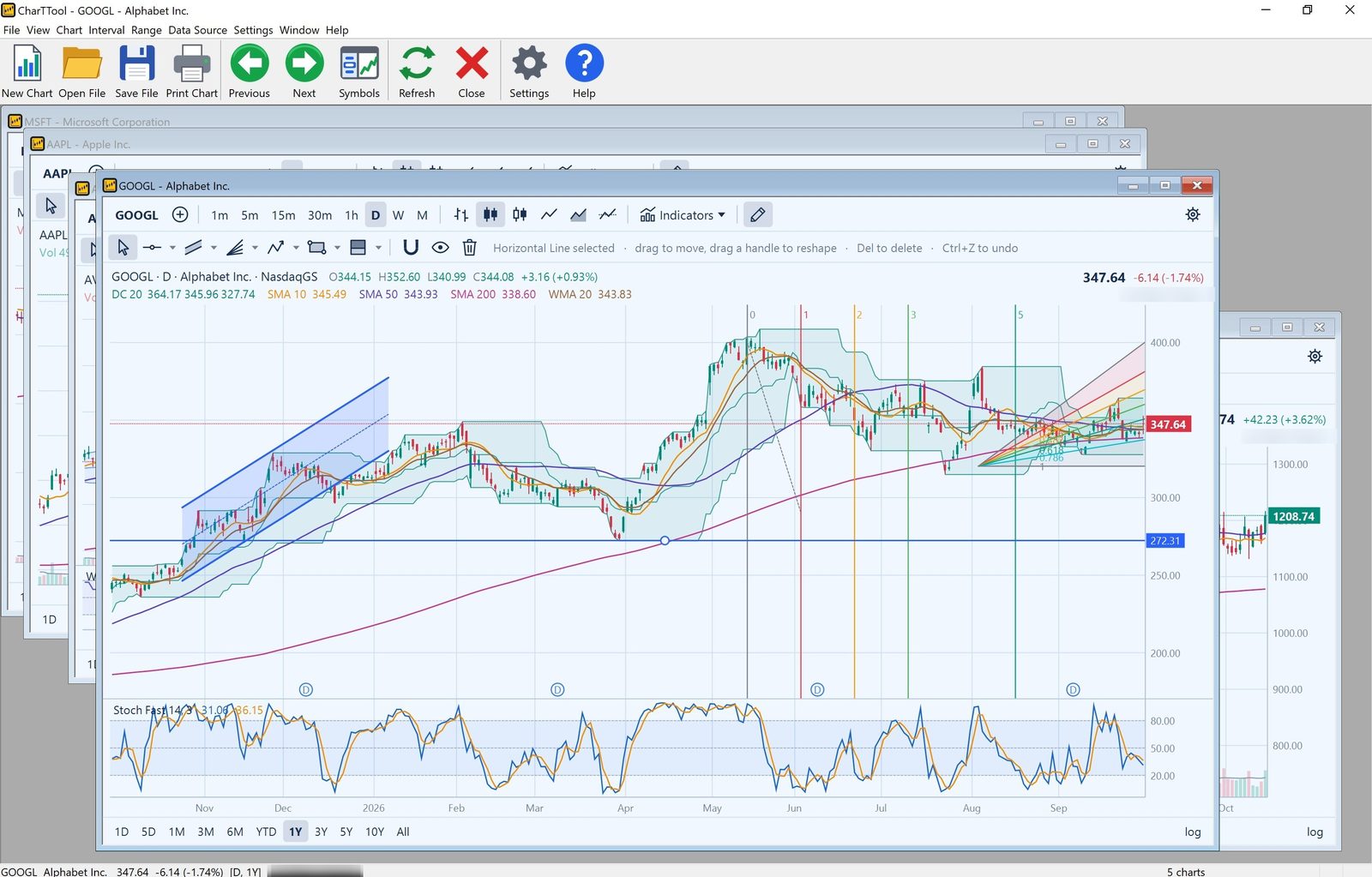
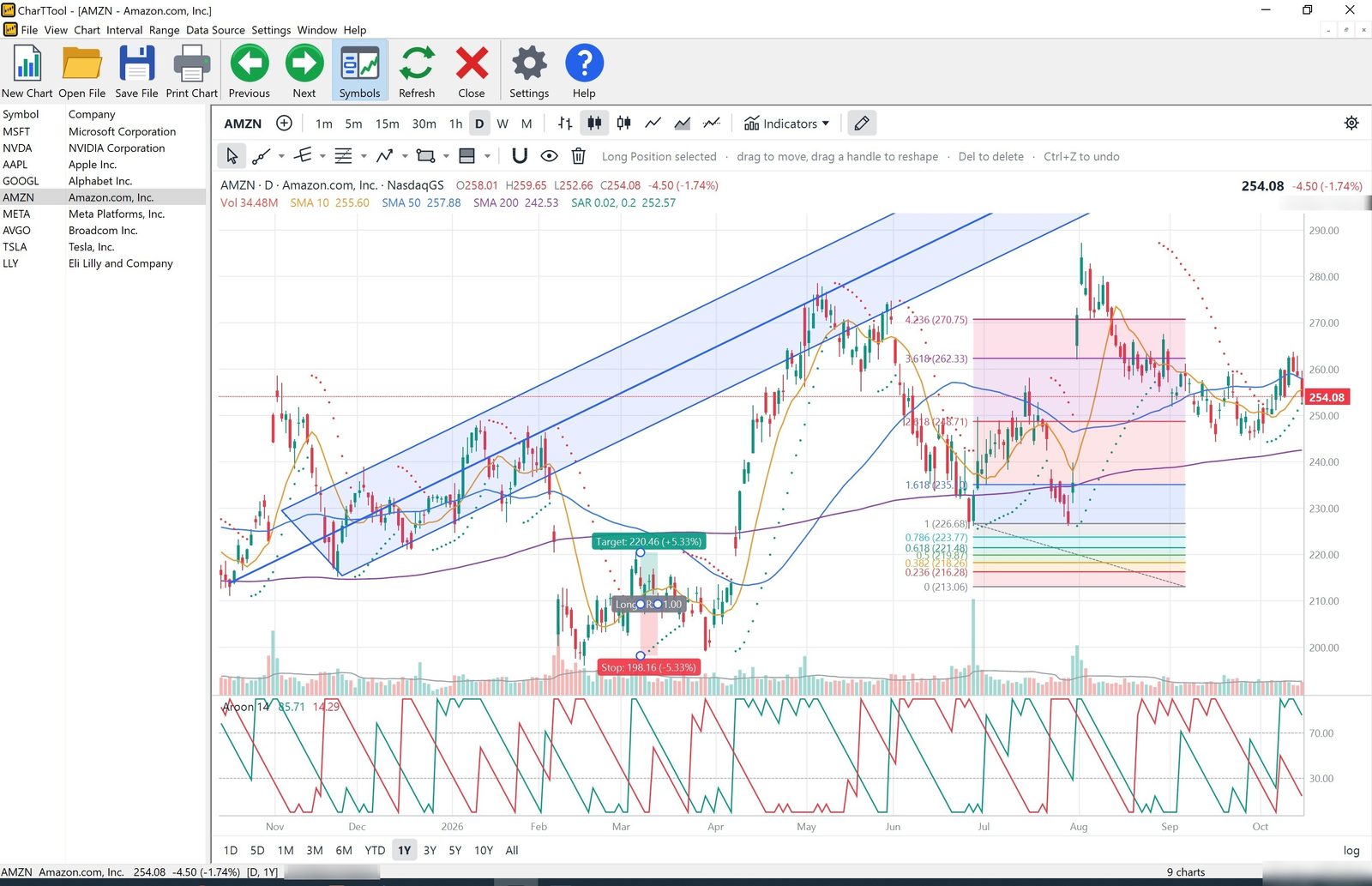
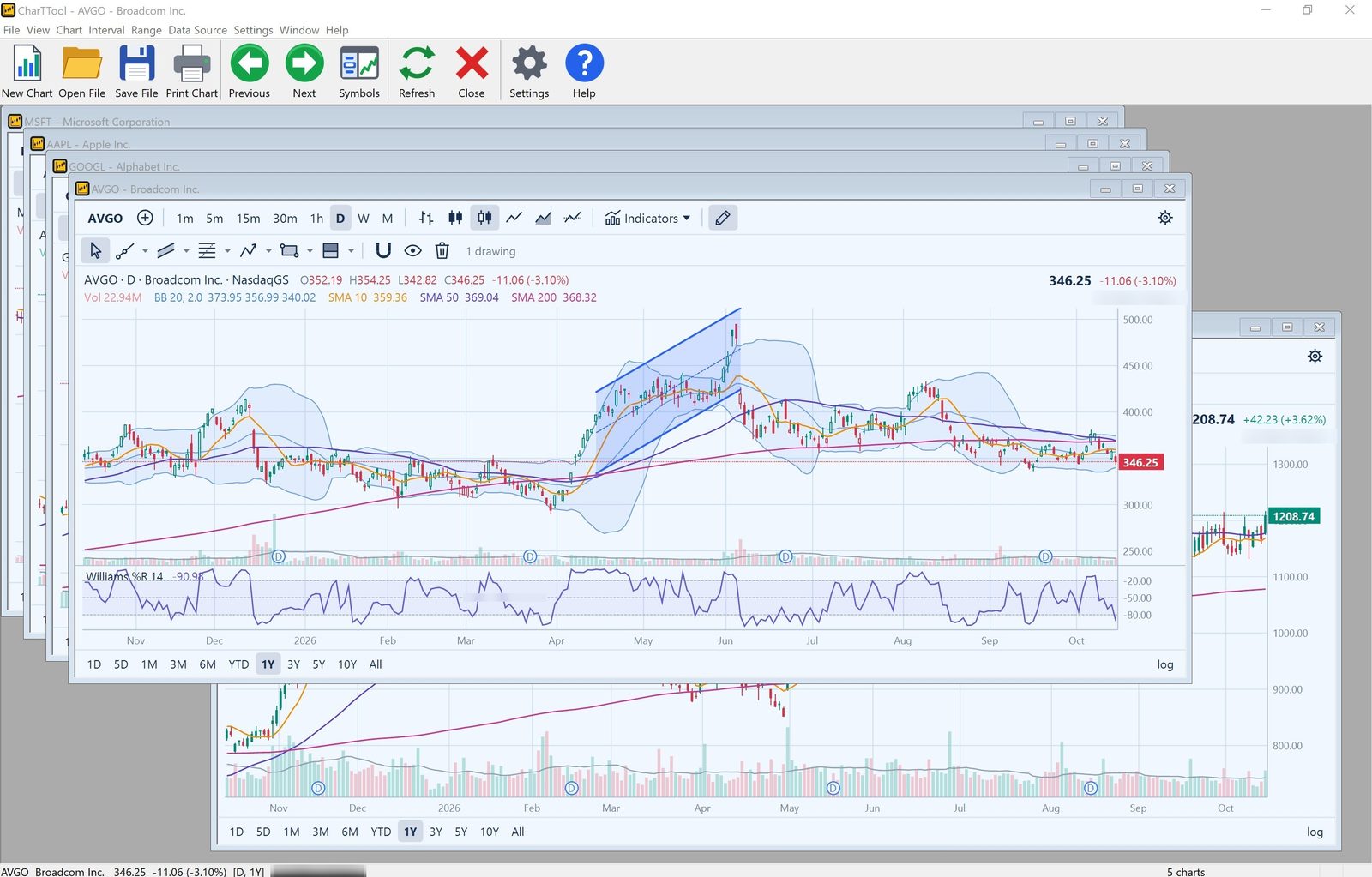
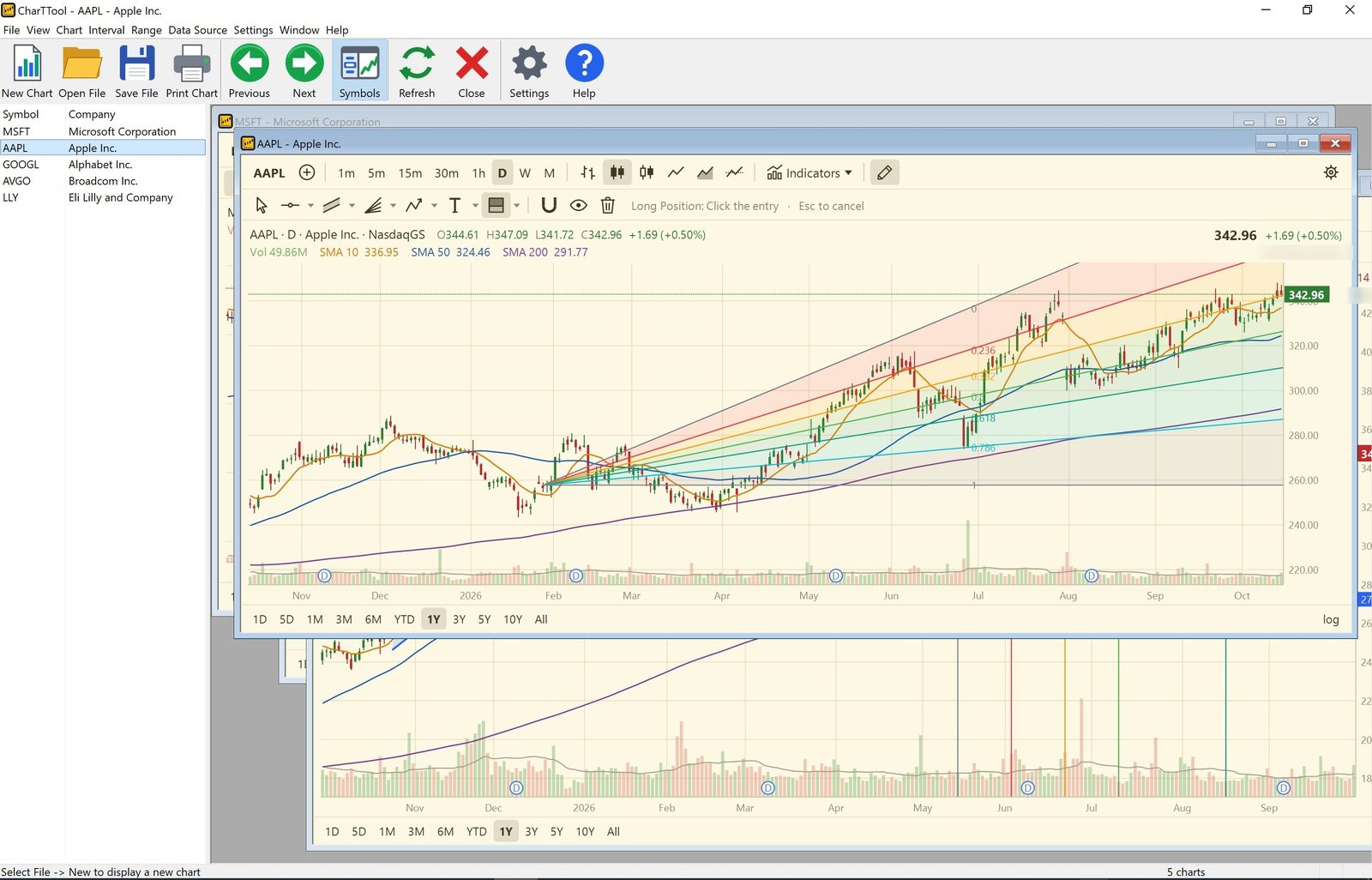
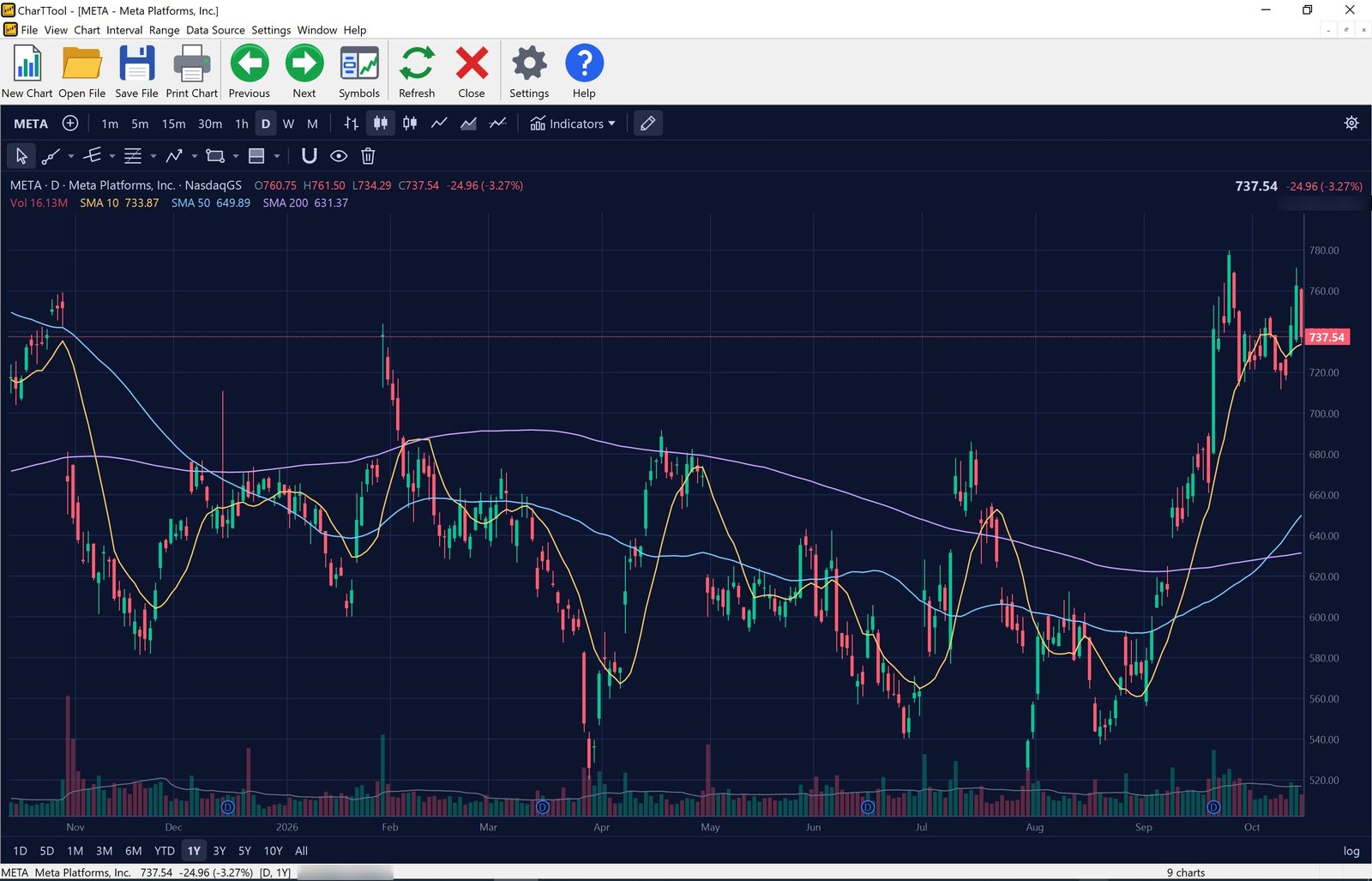
Donchian Channels, moving averages and Fast Stochastic, with a channel, Fibonacci time zones and a Fibonacci fanParabolic SAR, Aroon, long position and Fibonacci retracementBollinger Bands and Williams %RParchment color scheme with a Fibonacci fanMidnight color scheme, chart maximized
See 24 more charts – every indicator, the pitchforks, Fibonacci and Elliott wave tools, all seven color schemes and intraday to weekly intervals, each with a short technical analysis – in the CharTTool Chart Gallery.
Back after a full rewrite
Earlier CharTTool versions (2.x) relied on an outdated third-party charting component that stopped receiving data, so those versions can no longer show charts. CharTTool 3 is a completely new program: its own fast chart engine, many more indicators, drawing tools, color schemes and printing, and several free data sources instead of one. Ticker lists (.tlf files) from the old version open unchanged.
Read the full CharTTool User Guide: every indicator with its formula and default settings, every drawing tool, the settings dialog, printing, data sources and keyboard shortcuts.
Frequently asked questions
Does CharTTool need a subscription?
No. There is no monthly fee: a license is $39.95, and the historical and intraday quotes are downloaded from free internet sources.
Which technical indicators does CharTTool have?
32 indicators. On the price chart: Volume, SMA, EMA, WMA, Hull MA, VWAP, Bollinger Bands, Keltner and Donchian Channels, Ichimoku Cloud, Parabolic SAR, SuperTrend and Pivot Points. In panes below the chart: RSI, MACD, Stochastic Fast, Slow and RSI, Williams %R, CCI, MFI, Rate of Change, Momentum, ADX / DMI, Aroon, ATR, OBV, Chaikin Money Flow and the Accumulation/Distribution line.
Can CharTTool show intraday stock charts?
Yes. Intervals are 1, 5, 15 and 30 minutes and 1 hour, as well as daily, weekly and monthly. Intraday history is limited to 7 days for 1-minute bars, 60 days for 5 to 30-minute bars and 2 years for 1-hour bars.
How do I compare a stock with an index?
Choose Chart > Compare With and enter the index or stock symbol. Up to six other stocks or indices can be shown on one chart in percent gain or loss.
Does CharTTool work offline?
Downloaded quotes are kept in a cache on disk, so charts you have already viewed still open when you are offline.
Does CharTTool run on Windows 11?
Yes. It runs on Windows 7, 8, 8.1, 10 and 11, 32-bit and 64-bit, with sharp graphics on high-DPI screens.
Is there a free trial?
Yes. CharTTool is free to evaluate for 30 days. After that a license is $39.95.
Ordering
CharTTool is free to evaluate for 30 days. After a completed secure online order, an unlocking key file is emailed to you within two business days. Questions about ordering or registration: order@ashkon.com. Prices for all products are on the Order page.
Stock charting and technical analysis software. Backtest trading strategies, view buy and sell signals on charts, with dozens of indicators and 600+ combined strategies.
Downloads daily, weekly, monthly and intraday historical quotes for US and international stocks and indices, in ASCII format for MetaStock, Excel and other tools.