

A slim bar at the top of your screen that scrolls the latest news headlines for your topics and keywords. Click a headline to read the article.
Stock Ticker Application Bar - Scrolling Stock Ticker for Your Windows Desktop
Stock Ticker Application Bar puts a ticker tape at the top of your screen. It docks a slim bar above all other windows and scrolls real-time prices, changes and percent changes for up to 97 stocks and ETFs, plus the Dow Jones, NASDAQ and S&P 500. Set floor and ceiling price alerts, click a company to open its quote page, and follow the market while you work.
Download free trial Buy now – $19.95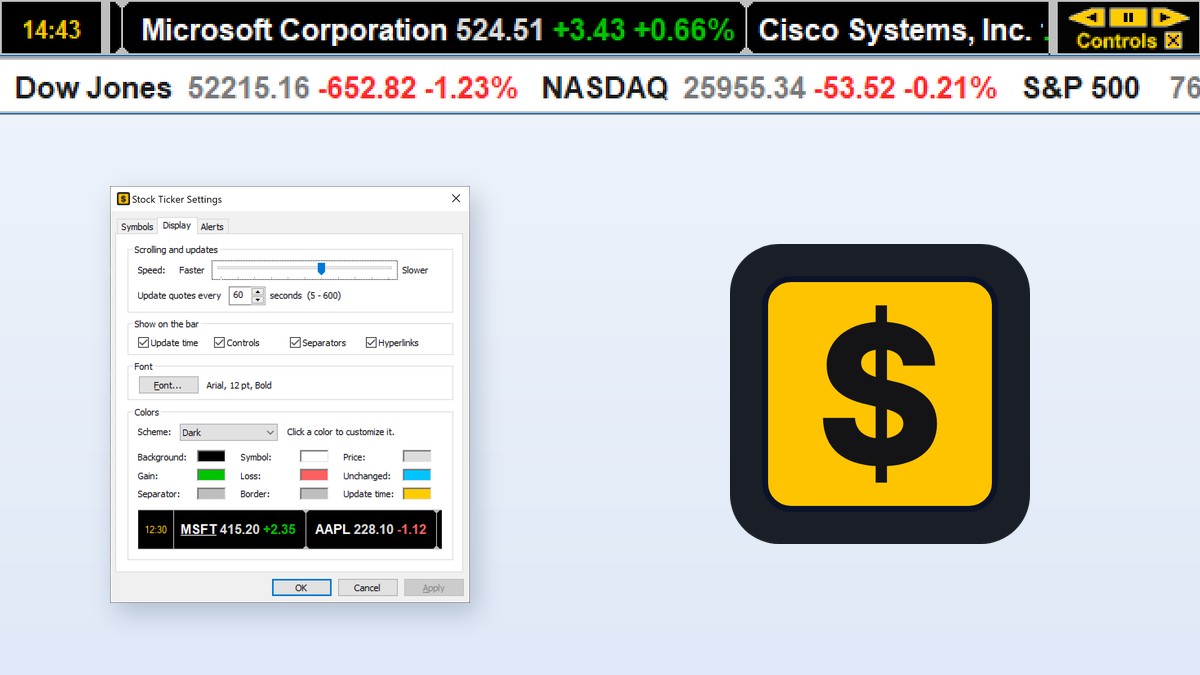
Stock quotes by Quotelinks
Looking for a scrolling stock ticker for your website? Get the free Stock Ticker Tape widget from Quotelinks.com: pick your symbols, theme and speed, then paste two lines of HTML into your page.
Features
Live quotes on a ticker tape
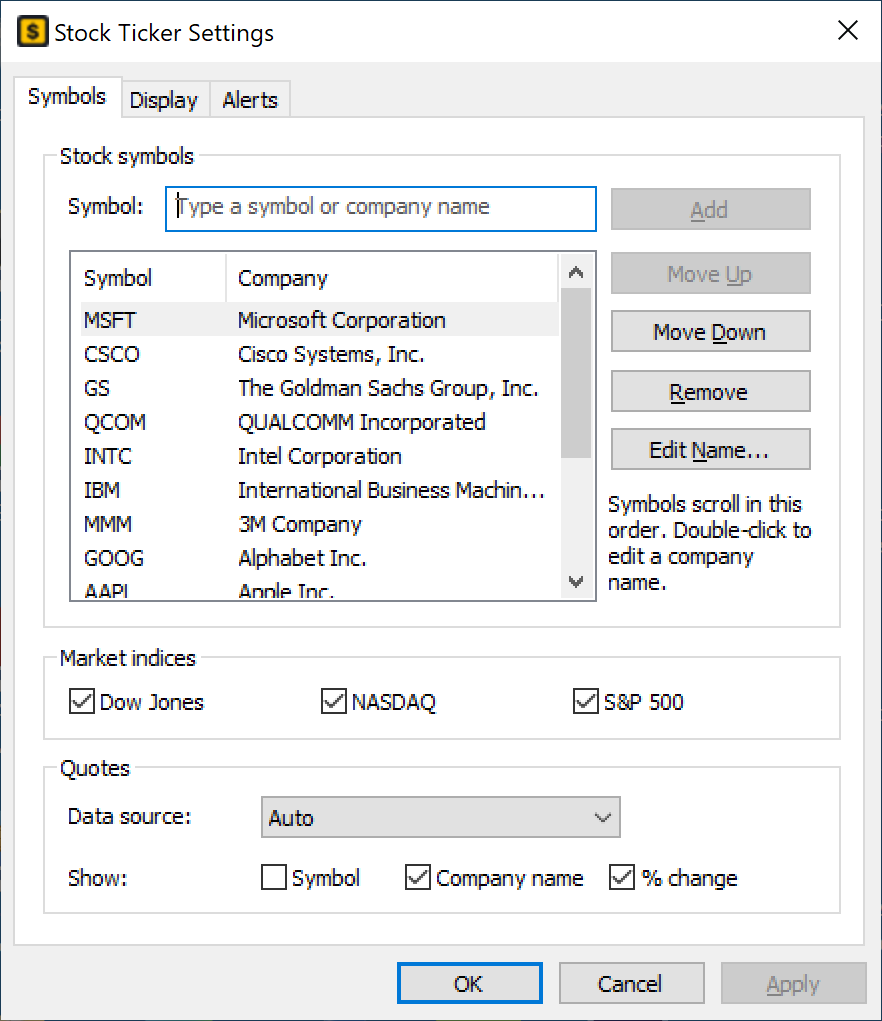
- Follow up to 97 US stocks and ETFs plus the Dow Jones, NASDAQ and S&P 500 indices – 100 items in total.
- For each symbol the bar shows the company name and/or the ticker, the last price, the change and the percent change, colored green for gains and red for losses.
- Real-time quotes from two free internet sources. In Auto mode the second source takes over at once if the first one fails; you can also pick either source.
- Quotes are updated every 5 to 600 seconds (every minute by default), or immediately with a click on the update time.
- The update time on the left turns amber when the backup source was used and red when no quotes could be loaded, so you always know whether the numbers are fresh.
Price alerts
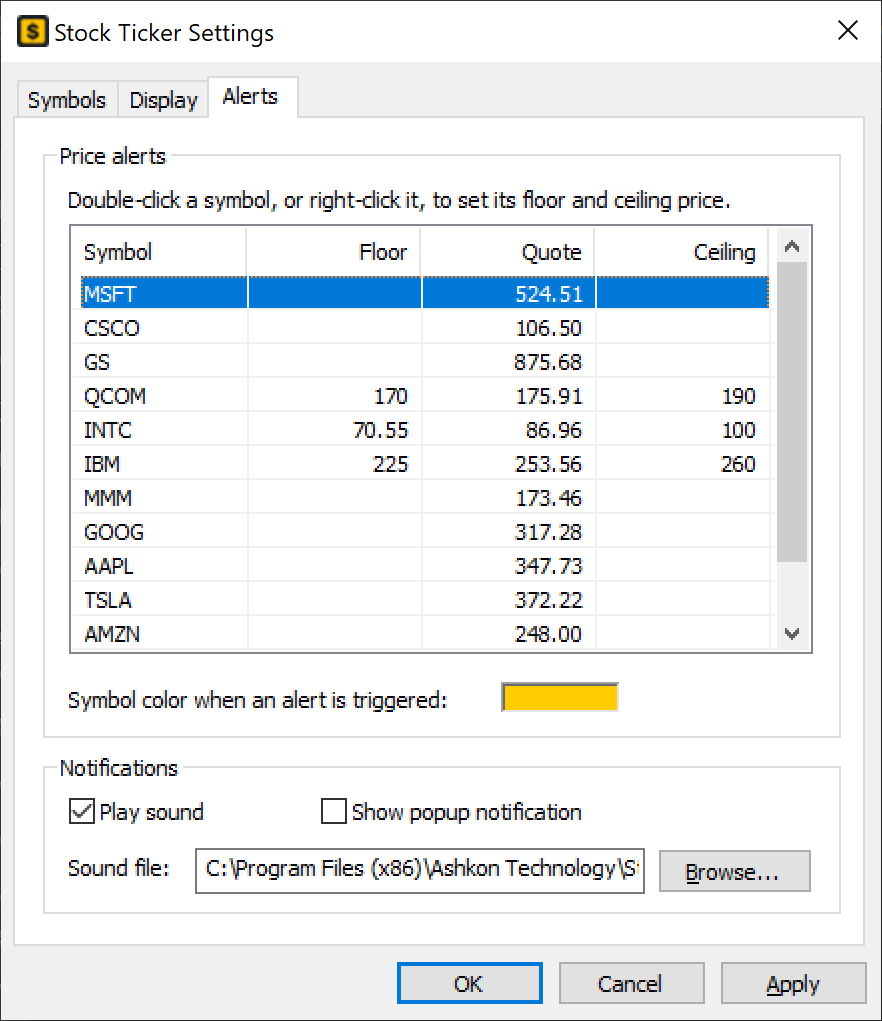
- Set a floor and a ceiling price for any stock. When the price breaks out of the range, the symbol changes color on the bar.
- Optional sound alert with any WAV file, and an optional Windows popup notification that lists every triggered alert.
- The Alerts tab shows all symbols with their current quote, floor and ceiling in one table.
Easy symbol entry
- Autocomplete: type a ticker or part of a company name, and matching companies drop down at once. Press Enter to add the selected one.
- The built-in directory covers more than 13,000 US-listed symbols (NASDAQ, NYSE and other US exchanges) and is updated automatically every 3 days.
- Paste a whole list such as AAPL, NVDA, MSFT; class shares like BRK-B are recognized.
- Reorder symbols with Move Up and Move Down, remove them, or edit a company name (“Microsoft” instead of “Microsoft Corporation”) to keep the line short.
One click to more information
- Click a company or symbol on the bar to open its quotelinks.com page with quotes, charts, financials and news.
- Hover over a company to underline it and pause the scrolling; drag the line with the mouse to scroll it by hand.
- Right-click for a quick menu: research any of your symbols, change the direction or pause, update quotes, settings, help and exit.
- Player-style controls on the bar: scroll left, pause, scroll right (fast while held), settings and exit.
Make it your own
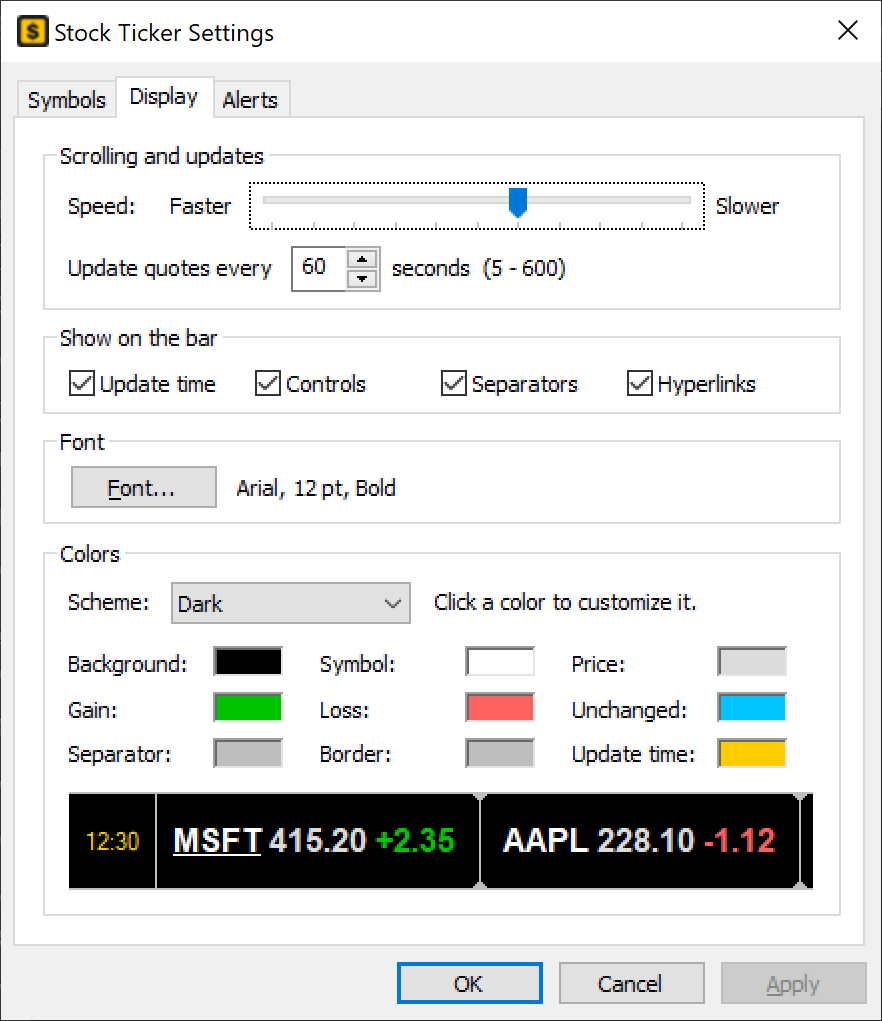
- Dark and Light color schemes, or a custom scheme with 9 colors of your own: background, symbol, price, gain, loss, unchanged, separators, border and update time.
- Any font, adjustable scrolling speed and direction, with a live preview in Settings.
- Show or hide the update time, the controls, the separators, the hyperlink underlines, the symbol, the company name and the percent change.
Small and fast
- Docks like the Windows taskbar: maximized windows simply end below the bar, so it never covers your work.
- Smooth, flicker-free scrolling synchronized with the display, sharp on high-DPI monitors.
- System tray icon to update quotes, hide or show the bar and exit; optional start with Windows.
- Native Windows program: no .NET Framework or other runtimes, very little memory and CPU.
The complete description of every setting is in the Stock Ticker Application Bar User Guide.
How to put a stock ticker on your Windows desktop
- Download and install the free 10-day trial. The bar docks at the top of the screen and starts scrolling quotes.
- Add your stocks: right-click the bar and choose Settings. On the Symbols tab type a ticker or part of a company name, pick the company from the list and click Add.
- Choose what to show: check Dow Jones, NASDAQ and S&P 500 under Market indices, and choose Symbol, Company name and % change.
- Set speed and updates: on the Display tab set the scrolling speed, update quotes every 5 to 600 seconds, and pick a font and color scheme.
- Set price alerts (optional): on the Alerts tab double-click a symbol to enter its floor and ceiling price, and turn on Play sound or Show popup notification.
When you need a desktop stock ticker
- Watching the market while you work in other programs, without switching to a browser tab. Maximized windows end below the bar, so it never covers your work.
- Your own watch list on one line: up to 97 stocks and ETFs plus the Dow Jones, NASDAQ and S&P 500.
- Knowing when a stock crosses your price: floor and ceiling alerts with a color change, a sound or a Windows popup notification.
- A quick look at a company: click it on the bar to open its quote page with charts, financials and news.
- A ticker that stays light: a native Windows program with no .NET Framework, using very little memory and CPU.
Want to see the whole market? Stock Sector Monitor ranks every sector and industry by % change, and CharTTool opens stock charts with technical indicators.
Screenshots


Frequently asked questions
How do I get a stock ticker on my Windows desktop?
Install Stock Ticker Application Bar. It docks a slim bar at the top of the screen and scrolls quotes. Right-click the bar and choose Settings to add your own stocks and ETFs.
How many stocks can the ticker show?
Up to 97 US stocks and ETFs plus the Dow Jones, NASDAQ and S&P 500 indices, 100 items in total.
How often are the quotes updated?
Every 5 to 600 seconds, as set on the Display tab. Click the update time on the bar to update at once. Quotes come from two free internet sources, and in Auto mode the second one takes over if the first fails.
Can I get an alert when a stock reaches a price?
Yes. Set a floor and a ceiling price for any stock on the Alerts tab. When the price moves out of that range, the symbol changes color, and you can also get a sound and a Windows popup notification.
Will the ticker bar cover my other windows?
No. It docks like the Windows taskbar, so maximized windows end below the bar.
Does it run on Windows 11?
Yes. It runs on Windows 7, 8, 10 and 11, 32-bit and 64-bit.
Is there a free trial?
Yes. The trial is fully functional for 10 days. A license is $19.95, and a site license for unlimited PCs is $299.95.
Ordering
The free trial is fully functional for 10 days. After a completed secure PayPal order, an unlocking key file is emailed to you within two business days. Questions about ordering or registration: order@ashkon.com. Prices for all products are on the Order page.
Related software

Stock Sector Monitor
$49.95Watch 150 stock industries and 5000+ stocks: quotes, price changes, volume, reports, news, charts and portfolios.

Stock Predictor
$295.00Stock charting and technical analysis software. Backtest trading strategies, view buy and sell signals on charts, with dozens of indicators and 600+ combined strategies.